Conversion Tracking
Part of Paid social reporting and account reviews
Explaining reporting lag to a business owner
Explain why recent paid social conversions can change, how ad dates differ from order dates and when figures remain provisional.
Recent paid social conversion figures can change after a day ends. A customer may act after seeing or clicking an ad, and the platform may process that action later or report it against an earlier interaction date. Tell the owner which date each report uses, when it was exported and which recent figures are provisional; do not promise a standard settling time.
Explain the dates in plain language
Ad interactions and customer actions carry separate dates. An attribution window sets how long a later action may be eligible for credit; it is not a processing-time estimate. Processing adds time before an eligible event appears in the platform report.
Someone sees or clicks an ad on Monday and orders on Wednesday. In TikTok app conversion reporting, an eligible conversion may be assigned to Monday’s ad-interaction date, while a mobile measurement partner (MMP) may show it on Wednesday’s event date. This comparison is for app reporting; check the date basis for web conversion reports or another platform.
In TikTok Ads Manager, select Custom Columns in the dashboard and enable Real-time columns to view data by event occurrence. This lets you compare event-date data with the app conversion interaction-date view.
TikTok’s default lookback is 7 days after an ad click or 1 day after an ad view for first-open or install conversions, and 90 days after install or app open for in-app conversions. These are eligibility windows, not processing-time estimates.
Ad Interaction Date vs Event Date in TikTok Conversion Reporting
- Ad Interaction Date (TikTok Ads Manager)
- Monday (when user saw or clicked the ad)
- Event Date (Mobile Measurement Partner - MMP)
- Wednesday (when user placed the order)
TikTok Attribution Windows and Reporting Timings
- Default Lookback Window (Click)7 days
- Lookback Window (View)1 day (for first-open/install)
- In-App Conversion Window90 days after install/app open
- Reporting BasisAd-interaction date (default)
Separate customer delay from processing delay
A customer taking time to decide and an event taking time to appear are different issues. TikTok Attribution Analytics includes an Average Time to Conversion view for activity attributed to TikTok ads; it measures the average time from a click and/or view interaction. An average is not a deadline for every customer action.
Platforms document conversion reporting and conversion windows separately. Do not treat an attribution window as a processing estimate or assume it sets the date when figures become final.
Keep recent totals marked provisional until the agreed refresh and review. A lookback window alone does not tell you when figures will settle.
| Change in the report | What to check |
|---|---|
| An earlier ad date gains conversions | Date basis, attribution window and later actions |
| Recent conversions are missing | Whether actions occurred, whether the event source sent them and expected processing time |
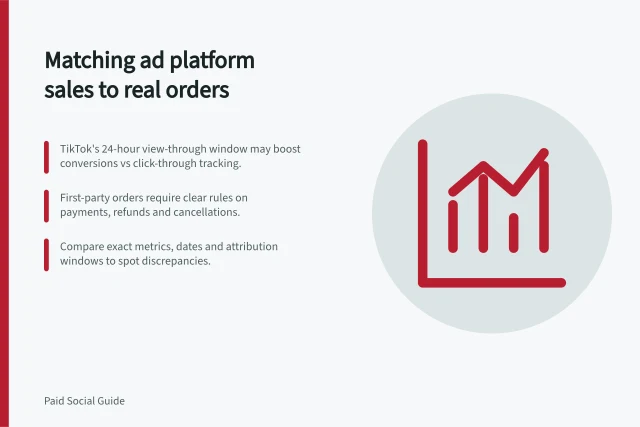
| Store orders and ad conversions differ | Order rules, populations, time zones and attribution settings |
TikTok identifies attribution methodology, timezone, lookback-window and reporting-timing differences as possible causes of discrepancies. A difference is not automatically a tracking fault, but lag should not be used to dismiss a stopped event source or failed upload.
What to Check When Reporting Lag Occurs
- Verify the date basis used in the report
- Confirm attribution window settings
- Check if event source sent data within expected time
- Review timezone alignment across systems
- Ensure tracking is active and uploads are not failing
Give the owner a decision-ready update
A concise update might read: “Media spend for the week is recorded. This TikTok app-conversion report uses ad-interaction dates, so an eligible Monday interaction followed by a Wednesday order may be credited to Monday. Attributed purchases for the most recent days are provisional; we’ll refresh the export at the agreed review point and compare it with confirmed orders.” State the actual reporting period, export timestamp, platform and next review date alongside it.
If a decision is due before the figures settle, show the counts available and the uncertainty. Confirmed business orders can answer whether orders were placed under the business’s rules; they are not a one-to-one replacement for attributed purchases.
Correct an actual spend, page or tracking fault promptly. For a routine performance decision, use the agreed review point when the approved spend permits it.