Account Structure
Part of Paid social account and campaign structure
Preparing account access before an agency starts work
List the assets an agency needs, assign suitable permissions and verify access before paid social work begins.
Before an agency starts paid social work, list the accounts and assets it needs. Identify who controls each one, then grant access for the agreed tasks.
Ask the agency to verify the actual account and connected assets before a campaign is due. An accepted partner invitation alone may not provide access to everything required.
List assets and responsibilities
For each platform in scope, record the business-side owner, ad account, relevant Page or profile, billing contact, and any tracking asset, catalogue or lead destination the agency will use. State which assets the agency may edit or view and who approves changes. Leave unrelated assets out of the request.
Choose roles by checking their full permissions, not just their names. On TikTok, an ad-account Operator can create and edit ads, access reports, manage audiences and manage finance, but cannot manage ad-account settings. An Analyst can view ads and reports but cannot edit ads, manage audiences or manage finance; only an Admin can manage ad-account settings.
TikTok Business Center Admin members have full control over accounts and assets, while Standard members can access only the accounts and assets assigned to them. Available permissions vary by account or asset type. Check the roles and asset setup in the current account before granting access.
TikTok Business Center roles and permissions
- AdminFull control over accounts and assets, including settings and partner management
- OperatorCreate and edit ads, access reports, manage audiences and finance; cannot change account settings
- AnalystView ads and reports; cannot edit ads, manage audiences or handle finance
Share the specific assets
Before inviting a TikTok partner, have a Business Center member with Admin access obtain the agency's Business Center account ID or ad account ID. In Business Center, open Partners, select Add partner and enter the relevant ID.
For a Business Center ID invitation, select Next and choose the accounts and assets to share, then set permissions and select Next and Confirm. If a Direct Business Center and an Agency Business Center are partnering, choose Yes or No when asked about forming a media agency partnership at Business Center level. If Yes is selected, the invited Business Center must approve before the partnership label appears.
For the ad-account-ID route, open Partners, select Add partner and enter the agency's ad account ID. Select the access level for that ad account, select Next, then choose the accounts and assets to share, set permissions and select Confirm.
The agency must accept the invitation before it can view the shared accounts and assets in its Business Center. Check that the invitation covers only the agreed assets and permissions. TikTok allows permissions to be set at account and asset level.
In LinkedIn, use Add partners to Business Manager for partner access, and check Business Manager roles and permissions before assigning a role. Confirm the available roles, permissions and asset options in the current account before sharing.
Where a platform supports partner access, share the specific assets and record the roles assigned. Use individual or partner access where available instead of sharing an ordinary login. Keep a business-side administrator able to review and change permissions.
Sharing TikTok Business Center access with an agency
- Obtain agency IDGet the agency’s Business Center account ID or ad account ID from a member with Admin access
- Add partnerIn TikTok Business Center, go to Partners > Add partner and enter the ID
- Select assets and permissionsChoose which accounts and assets to share; set appropriate access level (e.g., Operator, Analyst)
- Confirm and waitSelect Confirm. The agency must accept the invitation before access is granted
Key platform access guidelines for agencies
- TikTok Partner AccessUse Business Center or ad account ID; permissions at account and asset level
- LinkedIn Business ManagerUse Add partners to Business Manager; verify roles and permissions first
- Privacy ComplianceReview tracking pixel changes with privacy officer; ATO and OAIC guidance applies
- Cybersecurity Best PracticeAvoid sharing logins; use partner access instead; follow Cyber Security Guide for small business
Verify access from both sides
After the agency accepts, ask it to sign in and confirm that the correct ad account and required assets are visible. Have it demonstrate the agreed actions, and have the business owner check the assigned permissions from its side.
For TikTok, an Operator check can include creating or editing an ad, accessing reports, managing audiences and managing finance; an Analyst check can include viewing ads and reports. Confirm that the agency's assigned role matches the actions it needs. For LinkedIn, check that the required assets and assigned role are visible to the agency and that the agreed actions are available.
| Item | Business-side check | Agency-side check |
|---|---|---|
| Ad account | Correct account and role shared | Correct account visible; agreed actions available |
| Page or profile | Intended identity asset shared where needed | Intended ad identity available |
| Tracking or catalogue | Only required asset shared | Asset visible for the agreed setup |
| Billing | Payer and approval process recorded | Billing responsibilities understood |
| Exit | Permission owner and review point recorded | Access problems have a named contact |
Use the table to record onboarding checks. It is a checklist, not a record of tests performed on any account.
Review tracking changes and the exit plan
If the agency will add or change a website tracking pixel, have the business's privacy owner review the proposed data collection before deployment. Applicable obligations depend on the organisation and data involved; ad-account access does not itself approve a new collection practice.
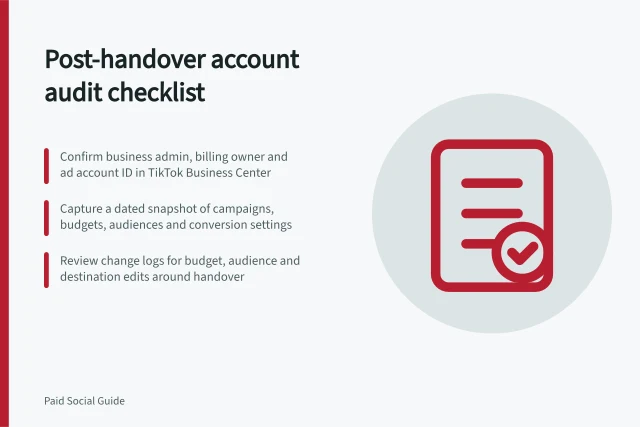
Set a review point for agency permissions. The business retains ownership and admin control of its Business Center, ad account and assets; the agency has partner access, not ownership. When the work ends, the business-side owner should remove the agency partner in TikTok Business Center using its partner-removal control, or remove partner access in LinkedIn Business Manager using its current controls.
After removal, check the shared assets and remove any access no longer needed using the platform's current controls. Keep campaign records and a change log for the business's later review.