Account Structure
Scaling paid social campaigns
A framework for scaling paid social through budget, creative and regional expansion while checking the cost and value of added customers.
Scale an established paid social campaign when the business can serve more customers and an approved increase has a reasonable prospect of producing worthwhile additional outcomes. Choose the constraint to address, make a bounded change and review the added spend against confirmed business results. A strong average result to date does not establish that the next dollars will work as well.
Establish a baseline
Choose one outcome the business can verify, such as confirmed first orders or suitable enquiries. Record spend, the outcome count, offer, locations, creative, destination and reporting period. Check stock or service capacity. Define how cancellations and unsuitable enquiries affect the count before using it to approve more spend.
Keep platform-attributed results beside the business record. TikTok can credit a conversion after an ad view without a click. Neither figure automatically supplies a count of confirmed new customers.
Set the limit for the next step: additional media spend, relevant production or fulfilment costs, and a review date. The acceptable acquisition cost depends on customer contribution after relevant variable costs and the business's other commitments. There is no universal target.
Choose what to expand
| Observed constraint | Possible next step | Check first |
|---|---|---|
| A small set of ads carries most delivery | Prepare messages that answer missing customer questions | Are the claims accurate and the assets ready for their placements? |
| The current serviceable area offers limited opportunity | Assess another region | Can the business fulfil the offer there, and is there plausible demand? |
| The campaign repeatedly reaches its approved budget while useful outcomes hold | Consider a bounded budget increase | What additional outcome would justify the authorised spend? |
| Delivery or conversions fall unexpectedly | Investigate the fault | Did the offer, page, audience, tracking or account status change? |
More creative will not repair an unavailable product, and wider location targeting will not make an out-of-area enquiry useful.
TikTok recommends limiting the size and frequency of budget increases according to learning-phase status. That guidance applies to TikTok's setup; it is neither an Australian-dollar budget recommendation nor a performance guarantee. Under TikTok campaign budget optimisation, spend may concentrate in one or two ad groups. Check the campaign's business outcome before treating a quiet group as a failure.
Pre-Expansion Checklist for Paid Social Campaigns
- Is the product/service available in the new region?Yes/No
- Are creatives ready for new placements?Yes/No
- Has tracking been verified for the new audience or region?Yes/No
- Is there demand in the target area (e.g., search interest, population)?Yes/No
- Can fulfilment keep up with increased volume?Yes/No
Select a budget structure
TikTok offers daily budgets, the average amount an advertiser is willing to spend per day, and lifetime budgets, the total intended spend over a campaign or ad group’s duration. TikTok describes daily budgets as suited to ongoing campaigns and lifetime budgets as suited to fixed-duration activity such as launches, promotions or events. Consider which structure fits the expansion before setting its limit.
TikTok’s stated daily-budget minimums are more than $50 at campaign level and more than $20 at ad-group level. For lifetime budgets, the campaign minimum is more than $50, while the ad-group minimum is $20 multiplied by the total number of days, including past days. TikTok gives $620 as the minimum for a 31-day ad group; these platform thresholds do not establish that the spend is commercially worthwhile.
If expansion requires a new campaign or ad group, settle the budget type before launch: TikTok says a live campaign or ad group cannot switch between daily and lifetime budgets. Budget amounts can be updated after launch, but a change of type requires a different setup.
Make one step interpretable
Record the proposed change, expected business outcome, approved extra spend and review point. Keep other material conditions steady where practical. If the offer, region, creative and budget all change together, the later result will be harder to interpret.
For a new region, confirm the service boundary and capacity first. Population, search interest and platform forecasts can screen a candidate area; none predicts customers for this offer.
For a budget increase, check whether the limit applies to the campaign or a group. A shared budget can shift spend between groups, so use a separate control where the decision requires a separate spending boundary. Keep a dated change log.
Apply TikTok-specific guidance carefully
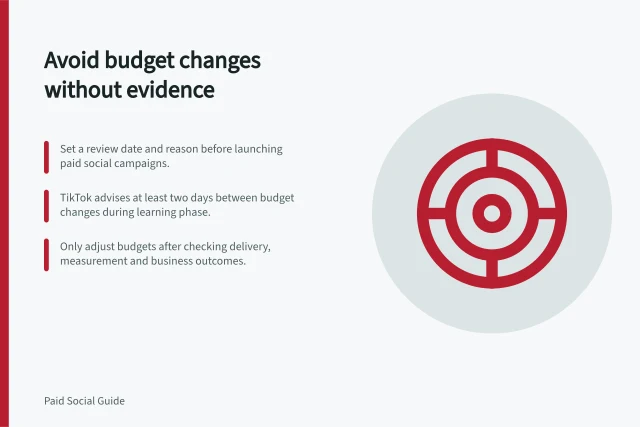
TikTok advises increasing budgets by no more than 40% per adjustment while a campaign is in the learning phase, and no more than 30% per adjustment after it exits. It also advises against making adjustments more frequently than every two days. Treat these as TikTok-specific operating guidance, not a recommended increase for every advertiser or a promise of stable results.
For lower-funnel Campaign Budget Optimisation (CBO), TikTok defines the learning phase at campaign level rather than ad-group level. Its guidance says a newly launched CBO campaign should expect stable performance after 50 campaign results for Installs or 20 for deeper-funnel objectives; after each adjustment, it advises waiting for another 50 or 20 conversions respectively before assessing stability.
TikTok suggests reviewing CBO budget consumption rate and day-over-day CPA change at campaign level. Those measures can help frame a campaign-level decision about the next step, rather than treating the outcome of an individual ad group as the whole campaign result.
Key TikTok Budget Guidance for Scaling
- 2daysMinimum Adjustment Interval
- 50Learning Phase Duration (Installs)
- 20Learning Phase Duration (Deeper-Funnel)
Review the added spend
Compare spend and confirmed outcomes with a relevant baseline after allowing comparable time to assess orders or enquiries. Show both changes. Changes in confirmed outcomes do not show that advertising caused them: seasonality, other marketing or an offer change may also contribute. When outcomes do not rise, that is not a basis for another increase.
Continue only when the additional outcomes are useful, their observed cost fits the business's limit and fulfilment remains sound. Hold the next increase when results are immature or measurement has changed. Reduce or pause affected spend when the offer cannot be fulfilled, the approved limit is breached or mature results no longer support the cost. Record the decision and next review date.
In this guide
- Expanding creative coverage before simply increasing spendAudit message and placement gaps, prepare distinct ads and review their delivery before increasing a paid social campaign's budget.
- Assessing whether a new region has enough demandScreen an Australian region using fulfilment, business records, population, search interest and platform estimates before a bounded paid social trial.
- Monitoring marginal acquisition cost during a scale-upCalculate the observed cost of net additional customers during a paid social scale-up and interpret it beside confirmed outcomes and customer value.
- Deciding when to reduce spend instead of chasing volumeUse business value, fulfilment and measurement checks to decide when to reverse a paid social spend increase or pause affected promotion.